Importing Keywords from a CSV
Bring an existing keyword list in: column auto-detection, auto-created pillars and clusters, duplicate handling, and the allowance CSV rows spend.
Updated Aug 26, 2026 · 7 min read
Everybody arrives with a spreadsheet. Ahrefs export, an old Semrush audit, a tab someone on the team has been maintaining since 2023.
You do not have to retype any of it.
This page covers the CSV import: what it can auto-detect, how Pillar and Cluster columns build your map structure for you, what happens to duplicates, and the one limit that catches people out.
Where it lives
Open Authority Map, go to the Keywords tab, and click Import CSV in the top right.
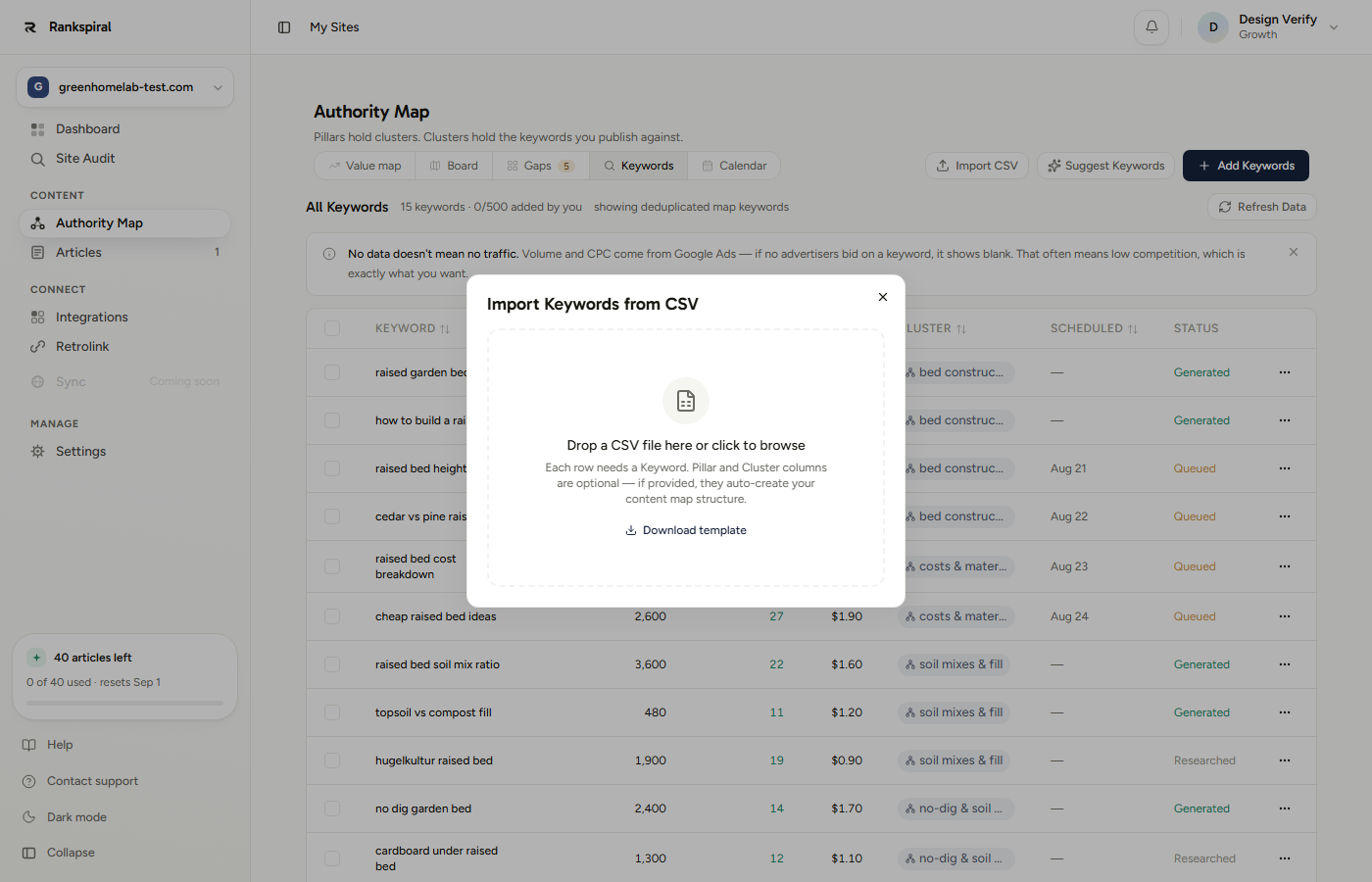
The header line above the table is worth a glance first. 15 keywords, 0/500 added by you tells you the total on the site and, separately, how much of your added-keyword allowance is gone.
The file format, and the template
One column is required: the keyword. Everything else is optional.
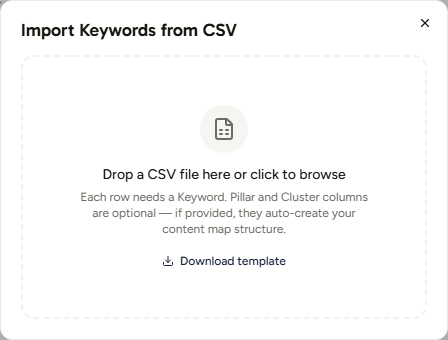
Click Download template for a file named rankspiral-keyword-template.csv in exactly the shape the importer likes:
Pillar,Cluster,Keyword
Shopify SEO,Dropshipping,dropshipping products to sell
Shopify SEO,Dropshipping,best dropshipping niches 2026
Shopify SEO,Ecommerce,shopify ecommerce tax tips
Shopify SEO,Themes,best shopify themes
WooCommerce,SEO Plugins,woocommerce seo plugins
WooCommerce,Performance,woocommerce speed optimization
Note the shape: pillars repeat, clusters repeat inside them, and one keyword per row. That is the whole schema.
Your first row is always treated as headers. There is no "my file has no header row" switch, so a headerless CSV loses its first keyword. Add a header line before uploading.
Column auto-detection
Drop the file and every column gets a role guessed from its header, which you can then override from a dropdown. Matching is loose on purpose: it lowercases the header, strips anything that is not a letter, and looks for a substring.
| Role | Header contains any of | So these all work |
|---|---|---|
| Keyword | keyword, term, query | Keyword, Search Term, Top queries, keyword_1 |
| Pillar | pillar, topic, category | Pillar, Topic, Category, Parent Topic |
| Cluster | cluster, group, subtopic | Cluster, Keyword Group, Subtopic |
| Skip | everything else | Volume, KD, CPC, Position, Traffic |
Skipped columns render greyed out in the preview so you can see at a glance what is being ignored. Volume and difficulty columns from an SEO export are always skipped, which is deliberate: RankSpiral fetches that data itself, live, rather than trusting numbers from an unknown date.
If nothing matches "keyword" at all, there is one fallback. The importer looks at your first column's header and, if it does not look like a Title Case label, promotes it to Keyword. In practice that rescues headerless-looking exports and misses tidy ones, so check the dropdowns.
The preview shows your first eight rows with a ... and N more rows line underneath, and the footer counts exactly how many keywords will be imported.
Pillars and clusters get created for you
This is the part worth using deliberately, because it is the fastest way to bring an existing content plan into the product intact.
- A new Pillar value creates a pillar, with a colour assigned from an eight-colour cycle. Matching against existing pillars is case-insensitive, so Shopify SEO will not duplicate shopify seo.
- A new Cluster value creates a cluster inside that pillar. Cluster names only need to be unique within their pillar, so two pillars can each have a "Pricing" cluster.
- A row needs both to be filed. A keyword with a Cluster but no Pillar lands unassigned, because there is nowhere to hang the cluster.
- Existing structure is reused, never rebuilt. Import into a site that already has an authority map and matching names slot straight into the pillars and clusters you already have.
Keywords with no Pillar and Cluster still import fine. They arrive unassigned, and Auto-assign on the Board tab will file them by shared search results later.
Duplicates are skipped, quietly and correctly
Two passes run before anything is written.
First, every keyword already on this site is loaded and compared case-insensitively after trimming. Anything that matches is skipped, and the success message names the count: skipped 7 already in your project.
Second, duplicates inside your own file are collapsed to the first occurrence. Exporting the same keyword under two different clusters imports it once, under whichever cluster appeared first.
The practical upshot: re-importing the same file is safe. You will get All N keywords are already in your project, nothing imported and no duplicate rows.
The limit that catches people: CSV keywords count, map keywords do not
Every plan has a tracked-keyword allowance, and it only counts keywords you added.
| Plan | Added-keyword allowance |
|---|---|
| Trial | 50 |
| Starter | 100 |
| Growth | 500 |
| Portfolio | 1,500 |
| Agency | 3,000 |
Keywords the authority map generated are free and unlimited. A 400-keyword map on Starter does not touch your 100.
Keywords you import by CSV, type in by hand, or pull in as related terms all count against it. That is the whole distinction: the map is the product doing the work, the allowance covers the work you bring.
An oversized import is truncated rather than rejected. With 80 slots left and a 300-row file, the first 80 rows import and the other 220 are dropped without a warning. Check your remaining allowance in the table header (0/500 added by you) before importing a large file.
There is also a hard ceiling of 2,000 rows per import. Above that the import is refused outright, so split the file.
What you get, and the step people forget
Imported keywords arrive with status Researched and no volume, difficulty, or CPC. The success message says so:
Imported 142 keywords, created 3 pillars, 9 clusters, skipped 7 already in your project. Run a data refresh to fetch volume & difficulty.
Click Refresh Data on the Keywords tab to fill in the metrics. One run researches the whole table, not just the new rows, and you get four refresh runs per site per calendar month, resetting on the 1st.
So import everything you plan to import first, then refresh once. Importing three files and refreshing after each one burns three quarters of your monthly allowance on the same work.
Getting the most out of it
Add the Pillar and Cluster columns before uploading, even if you have to invent them. Ten minutes in a spreadsheet turns a flat keyword dump into a structured map, and structure is what decides whether those keywords ever become a coherent set of articles.
Import your best 50, not your best 500. An export filtered to keywords you actually intend to write beats a full site crawl, because every unwritten keyword is noise on every screen that ranks work for you.
Use it for what the map cannot know. Product names, branded terms, customer language from support tickets, questions your sales team hears weekly. Search-volume tools miss these and they convert better than anything the map will find.
Cut the metric columns before exporting. They are skipped anyway, and a two-column file makes the detection step trivial to verify.
Refresh once, at the end. Four runs a month is generous if you batch and tight if you do not.
If the import misbehaves
- "File must contain at least a header row and one data row." The file has fewer than two non-empty lines, or it is not comma-separated. Semicolon-delimited exports (common in European locales) need converting to commas first.
- "No keywords found. Make sure a column is mapped to 'Keyword'." Auto-detection missed. Set the dropdown on the right column manually.
- Fewer keywords imported than expected. Almost always duplicates or the allowance. The success message names the duplicate count; the allowance truncation does not, so check the header counter.
- Keywords imported but no clusters appeared. Rows had a Cluster value but no Pillar, or the Pillar column was mapped to Skip.
- Volume and difficulty are still blank after a refresh. Those come from Google Ads data. A keyword nobody bids on legitimately returns nothing, which usually means low competition.
A CSV import is not a shortcut around building an authority map. It is how you tell the map what you already know that it never could.
Was this page useful?
Tell us what was missing and we'll fix the page.