
Why Most Cluster Guides Stop Short
You've seen the diagram.
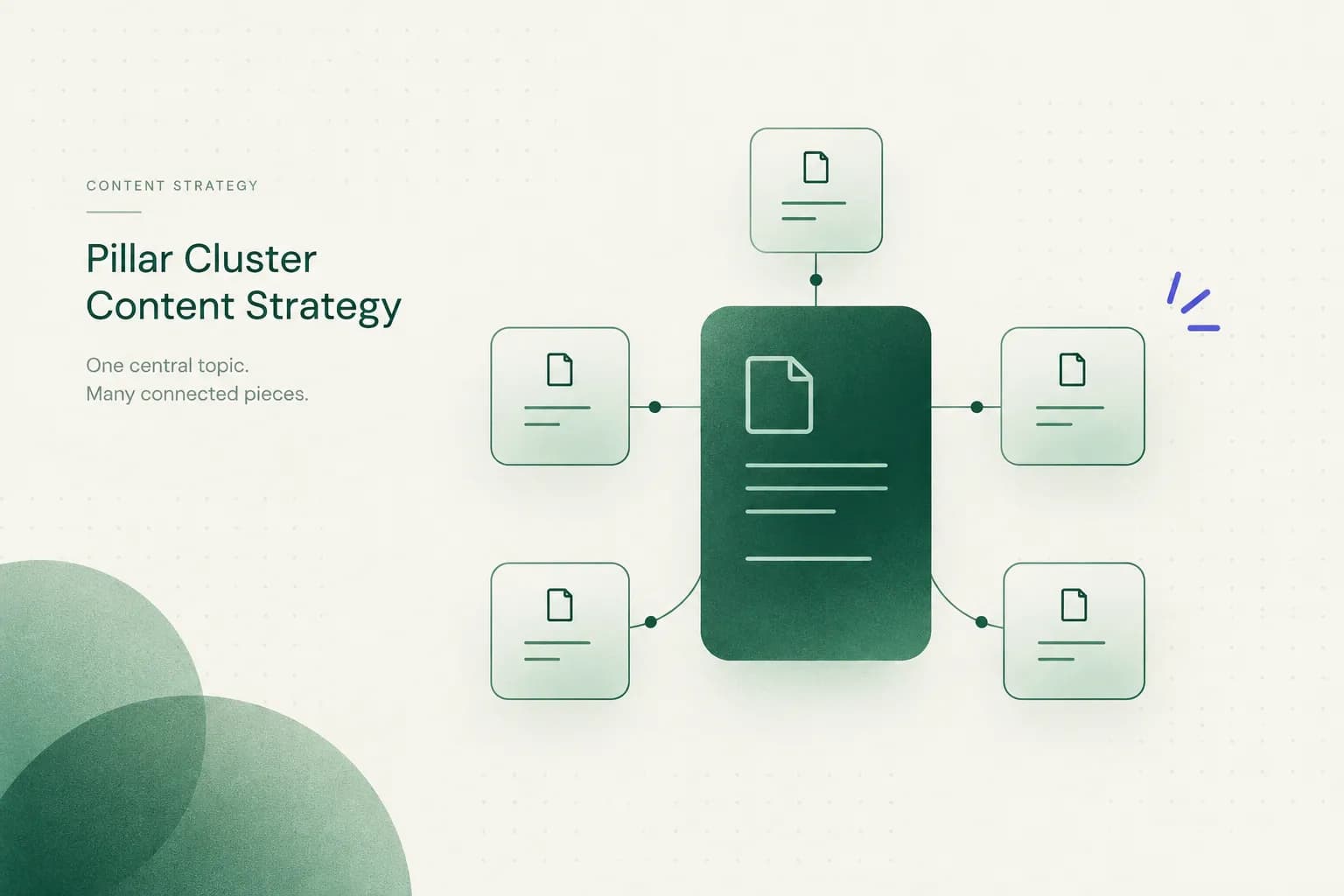
One big circle in the middle, a ring of smaller circles around it, and lines connecting everything like a very tidy spider web.
Then the guide ends, right when things get hard.
That's the problem with most writing about pillar cluster content strategy. It explains the hub-and-spoke shape well, then skips every decision you'll actually face when you sit down to build one.
The diagram is the easy 10%.
The other 90% looks like this:
How do you validate that two keywords share the same search intent before writing anything? How do you assign exactly one URL to each SERP opportunity so your own pages don't compete with each other?
What do you publish first when you can't write 25 articles this month? And how do you prove any of it moved revenue, not just rankings?
That's what this guide covers, from planning to measurement, as of 2026.
One honest caveat before we start.
Topic clusters are an organizing system for SEO work you already do.
Keyword research, intent matching, internal linking, and useful content still carry the weight. Clustering gives that work structure so search engines and readers can follow it.
Think of clustering as a filing cabinet, not a cheat code. A beautifully labeled cabinet full of weak documents is still a cabinet full of weak documents.
Good? Good. Let's get into the definitions everyone uses loosely.
Pillar, Cluster, Silo: Not the Same Thing
Half the confusion around topic clusters comes from people using four different words for the same thing, or one word for four different things. Marketing teams argue about "silos" when they mean "categories," and nobody notices until the URL structure is a mess.
So let's pin the terms down.
Pillar vs Cluster, Defined
A pillar page targets a broad, higher-volume head term and gives a complete overview of that topic. A cluster page targets a narrower, more specific question within that topic and answers it in depth.
Here's the concrete version.
An "email marketing" pillar explains what email marketing is, how lists work, what types of campaigns exist, how deliverability works, and how to measure results. An "email subject line length" cluster page answers one question really well: how many characters should a subject line be, and why?
The pillar is wide and moderately deep.
The cluster is narrow and very deep.
Neither tries to do the other's job.
And here's the part people miss: a pillar isn't just a long article.
Length doesn't make a page a pillar.
Structure does.
A pillar is the parent node that every related cluster page links back to, and it links out to each of them in return.
Without those links, you just have a long article sitting next to some short ones.

Silo, Category, Topical Map
These three get blended together constantly. They're related, but they aren't interchangeable.
A content silo is a stricter architecture where pages are grouped by URL hierarchy (like /email-marketing/subject-lines/) and links mostly stay inside the silo.
Silos are rigid.
Clusters are more flexible about linking across topics when it helps the reader.
A category is a CMS taxonomy.
It's the automatically generated archive page listing every post tagged "Email." Useful for browsing, but it rarely satisfies search intent on its own.
A topical map is the planning document.
It's the full inventory of pillars, clusters, target keywords, and links you intend to build.
The map is the blueprint.
The clusters are the buildings.
When to Reject a Pillar Topic
Not every broad keyword deserves a pillar.
Some should be politely shown the door.
Reject a pillar topic when the head term SERP is dominated by a format you can't match, like product listings or software tools when you planned a guide. Reject it when the topic is so broad ("marketing") that one overview page would be shallow everywhere.
And reject it when you can only find two or three genuine subtopics, because that's a single article, not a cluster.
Finally, reject it if it has nothing to do with what you sell.
Topical authority on a subject your customers don't care about is a very expensive hobby.
Building Your Topic Map
Here's a myth worth killing early: there's no magic cluster size.
Guides that say "every cluster needs 10 articles" or "aim for 20 supporting pages" are making it up for neatness.
Cluster size depends on three things: how broad the topic is, how much real SERP demand exists for its subtopics, and how much authority your site already has.
A new site in a competitive niche might need more supporting depth to earn trust. An established site might rank a pillar with six well-chosen pages.
Also, cluster content doesn't have to be blog posts. Glossary entries, comparison pages, downloadable templates, case studies, calculators, and free tools all count.
If the SERP for a subtopic is full of templates, write a template, not a 2,000-word essay about templates.
And before you write a new pillar from scratch, check your analytics.
Your best pillar is often an article you already have.
If one post already earns impressions for dozens of related queries in Google Search Console, it's practically begging to be promoted. Expand it, restructure it, and build the cluster around it.
You keep its history and backlinks instead of starting at zero.
Finding Cluster Topics and Keywords
The best cluster ideas usually come from places people forget to look. Keyword tools are fine, but they're one source among several.
Start with Search Console queries for your candidate pillar. Then mine People Also Ask boxes, autocomplete suggestions, competitor pages that rank for the head term, and (underrated) your sales and support inboxes.
If customers ask the same question three times a week, that's a cluster page.
Once you have a pile of keywords, group them with keyword clustering based on SERP similarity. Instead of grouping by how words look, you group by whether Google shows the same pages for them.
Two keywords that sound different but return the same top results belong on one page.
Two that sound identical but return different results need separate pages.
One Page or Two?
This is the decision that prevents keyword cannibalization, where two of your own pages compete for the same query and both rank worse than one would alone.
The rule: one URL per SERP opportunity.
The fastest check is to search both keywords and count how many of the top 10 organic URLs appear in both results. Here's a practical rule of thumb that most clustering tools use in some form:
| Shared URLs in Top 10 | What It Signals | Decision | Example Pair |
|---|---|---|---|
| 7 to 10 | Google treats these as the same intent | One page; use the second keyword as a subheading or synonym | "email subject line length" / "how long should a subject line be" |
| 4 to 6 | Strong overlap, likely the same intent | One page in most cases; cover both angles in sections | "email open rate" / "average email open rate" |
| 1 to 3 | Related but distinct intent | Separate pages, cross-linked if readers move between them | "email open rate" / "improve email open rate" |
| 0 | Different intent or different audience | Separate pages, possibly in different clusters | "email marketing" / "email marketing jobs" |
Quick check-in: notice how "average email open rate" and "improve email open rate" share three words but deserve different pages?
One searcher wants a benchmark number.
The other wants tactics.
That's search intent doing the deciding, not vocabulary.
Worked Example: Pillar to Cluster
Let's build the email marketing cluster for a small SaaS company that sells newsletter software. This is a realistic first version of a topical map, not a fantasy 40-page plan.
| Page | Target Keyword | Search Intent | Format | Links To |
|---|---|---|---|---|
| Pillar | email marketing | Broad overview, learning | Long-form guide | All cluster pages |
| Cluster 1 | email subject line length | Specific answer | Short data-backed article | Pillar, open rate page |
| Cluster 2 | average email open rate | Benchmark lookup | Stats page with industry table | Pillar, improve open rate page |
| Cluster 3 | how to improve email open rate | Tactics, how-to | Step-by-step guide | Pillar, subject line page, deliverability page |
| Cluster 4 | email deliverability | Problem-solving | Explainer plus checklist | Pillar, improve open rate page |
| Cluster 5 | welcome email template | Ready-to-use asset | Template library | Pillar, onboarding sequence page |
| Cluster 6 | email onboarding sequence | Planning, how-to | Guide with examples | Pillar, welcome template page, comparison page |
| Cluster 7 | best newsletter platforms | Commercial comparison | Comparison page | Pillar, product page |
Look at the "Links To" column. Every page points back to the pillar, but cross-links only happen where one question naturally leads to the next.
That's the whole trick, and it's next.
Linking, Publishing, and the Reader's Path

Internal links are the actual "cluster" in topic clusters. Without them, you've just written a bunch of articles about similar things and hoped for the best.
Google's own Search Central documentation says links help it discover pages and understand what they're about.
So the links aren't decoration.
They're how the structure becomes visible to both crawlers and humans.
Internal Linking That Isn't Spam
Every cluster page should link to its pillar.
That part's non-negotiable.
But how you link matters as much as whether you link.
Use varied, descriptive anchor text, not the same exact phrase on every page. If all seven cluster pages link to the pillar with "email marketing," it reads like a robot wrote it (because, often, one did).
Mix it up naturally: "our complete guide to email marketing," "how email campaigns fit together," "the basics of building an email program."
Each anchor should describe what the reader gets when they click.
Cross-linking between cluster pages is where people go overboard. The rule is simple: link from one cluster page to another only when the reader's next question naturally leads there.
Someone reading about average open rates will very likely wonder how to improve theirs.
Link it.
Someone reading about welcome templates probably doesn't need a detour into deliverability DNS records.
Don't.
Ask yourself one question before adding a link: "Would I click this if I were the reader right now?" If the honest answer is no, delete it.
What to Publish First
Here's some relief for small teams.
You don't need the whole map live before anything works.
Launch a minimum viable cluster: one pillar plus 5 to 8 cluster pages. That's enough to show topical depth, build the linking structure, and start collecting data.
Then expand based on what Search Console tells you, not what your original spreadsheet guessed.
Order matters too.
Publish (or upgrade) the pillar first so cluster pages have something to link to from day one. Then prioritize cluster pages with the best mix of demand, low difficulty, and business relevance.

Each time you publish a new cluster page, go back and add a link to it from the pillar.
Forgetting this step is the single most common way clusters end up as orphaned pages with good intentions.
From Learning to Buying, Gently
Most clusters are heavy on learning content and then... nothing. The reader learns everything and leaves to buy from someone else.
Build a gentle path.
Informational pages (open rates, subject lines) link toward planning pages (onboarding sequences, templates). Planning pages link toward commercial pages (platform comparisons, product pages).
In the worked example, Cluster 7 exists specifically to bridge that gap.
Match the call to action to the intent of the page.
A template page can offer a free download. A comparison page can offer a trial.
A benchmark stats page should probably just offer more help, because nobody wants a sales pitch while looking up a number.
Measuring What Actually Moved
Here's an uncomfortable truth: a lot of teams build topic clusters, see rankings wobble upward, and declare victory without checking whether anything that matters changed.
Rankings are nice.
Revenue pays salaries.
Let's be precise about what clustering does.
A pillar cluster content strategy improves discoverability, relevance signals, and site organization. It is not a standalone ranking guarantee.
If the individual pages are thin, the cluster won't save them.
Ahrefs' widely cited research found that roughly 96% of pages get no organic traffic from Google at all, and plenty of those pages live inside perfectly drawn clusters.
There's also a 2026-specific wrinkle.
AI search engines and answer engines pull from pages that cover a topic clearly and completely. A well-structured cluster helps them find and cite the right page for the right question.
But that doesn't mean you should mass-produce a page for every query variation. "Best subject line length," "ideal subject line length," and "subject line character count" are one page.
Google's spam policies have explicitly targeted scaled content abuse since the March 2024 core update, and answer engines don't reward near-duplicates either.
More pages is not more coverage.
Measure the Whole Cluster
Measuring cluster performance URL by URL is like judging a football team by one player's stats.
You'll miss the system.
Track impressions, clicks, and internal-link flow for the whole topic group. In Google Search Console, filter pages with a regex that matches every URL in the cluster, then watch the totals over time.
If your cluster lives in a folder like /email-marketing/, that filter takes about ten seconds.
Here's what to watch at the group level:
Total impressions show whether Google is surfacing the topic more often. Total clicks show whether people actually choose you.
The number of distinct queries the group ranks for shows breadth.
And the pillar's share of clicks tells you whether the parent page is doing its job or getting outshined by its children.
For internal-link flow, run a crawl with a tool like Screaming Frog or Sitebulb and check inlinks to each cluster page. Any page with zero or one internal link is effectively invisible.
Fix those first.
Give it time, too.
Expect three to six months before group-level trends become trustworthy.
Checking daily will only teach you anxiety.
When Pages Rank but Nothing Converts
So your cluster gets traffic, and conversions are flat. Annoying, but very common, and usually diagnosable.
The usual suspects are intent mismatch (you're ranking for learners when you sell to buyers), missing bridge pages (no path from informational content toward commercial pages), and CTAs that don't fit the page. Occasionally the real answer is harsher: the cluster topic attracts people who will never need your product.
Check assisted conversions in your analytics, not just last-click. Cluster pages often start the journey that ends on a product page weeks later.
If assisted conversions are also zero, though, it's time to rethink the topic, not just the button color.
Merge, Redirect, Update, or Delete
Every cluster needs a regular content audit, roughly every six to twelve months. Pages drift, SERPs shift, and that article you wrote in 2023 may now be fighting its own sibling.
Merge two pages when they target the same SERP and split the rankings. Combine the best parts into the stronger URL.
Redirect the weaker URL to the merged page with a 301 so you keep its links and history.
Update pages that rank on page two with good intent match but outdated facts or thin coverage.
These are your cheapest wins.
Delete pages that have no traffic, no links, no business value, and no realistic path to any of those.
Yes, it hurts.
Do it anyway.
Still with me? Good, because the FAQ is where the short answers live.
Common Questions About Topic Clusters
What is the pillar-cluster model in content marketing?
The pillar-cluster model is a content architecture where one broad pillar page is interlinked with several narrower, intent-specific cluster pages.
The pillar covers the topic as a whole, and each cluster page answers one specific question in depth.
HubSpot popularized the approach around 2017, and it remains a standard way to organize content in 2026.
What is an example of a topic cluster?
A classic example is an "email marketing" pillar page linked to cluster pages about subject line length, average open rates, deliverability, welcome email templates, and onboarding sequences.
Each cluster page links back to the pillar.
Related cluster pages, like open rates and improving open rates, also link to each other because readers naturally move between them.
How many blog posts should be in a topic cluster?
There is no fixed number of posts for a topic cluster.
The right size depends on how many distinct subtopics exist, how much search demand each has, and how much authority your site already holds.
A practical starting point is one pillar plus 5 to 8 cluster pages, then expanding based on Search Console data.
What is the difference between a content pillar and a content cluster?
A content pillar is the single broad page targeting the head term, while a content cluster is the group of narrower pages supporting it.
The pillar offers the overview and links out to every cluster page.
Cluster pages go deep on one question each and link back to the pillar.
Are topic clusters a ranking factor?
Topic clusters are not a direct ranking factor in Google's algorithm.
They support ranking indirectly by helping search engines discover pages through internal links and understand how pages relate to each other.
Content quality, intent match, and authority still do the heavy lifting.
How do you create a content pillar strategy?
You create a content pillar strategy by choosing a broad topic tied to your business, researching subtopics, and grouping keywords by SERP similarity so each URL targets one search opportunity. Then build or upgrade the pillar, publish a minimum viable set of cluster pages, link them both ways, and measure the group's combined performance before expanding.
The One Thing to Fix Tonight
You don't need a 40-row spreadsheet to start.
You need one link.
Tonight, open your best-performing article.
Look for one related page on your site that it should link to but doesn't, or one related page that should link to it but doesn't.
Add that link with descriptive anchor text that tells the reader exactly what they'll get.
Five minutes, tops.
That single fix is a pillar cluster content strategy in miniature. It connects related ideas, helps crawlers find what you've published, and gives readers an obvious next step.
Then remember what this whole system actually is.
Clusters are an organizing structure fed by real research, real intent analysis, and genuinely useful pages.
They make good content easier to find.
They don't make weak content good.
The diagram was never the hard part.
You know the rest now, so go add the link.