
Why Your Links Are Underperforming
Somewhere out there is a content brief that says "add 3-5 internal links per article."
Nobody knows who wrote it first.
It spread from agency to agency like a chain email, and now half the internet treats it as gospel.
Here's the awkward part: Google has never confirmed a magic number of internal links. Not three, not five, not "one per 200 words."
Google's documentation talks about crawlable links, descriptive anchor text, and sensible site architecture.
It says nothing about quotas.
So what are we actually talking about? Internal linking is the practice of adding a hyperlink from one page on your domain to another page on the same domain.
That's it.
Simple definition, surprisingly deep rabbit hole.
The problem isn't that people don't add internal links.
They do.
The problem is how they add them: at the very end, right before hitting publish, scanning the draft for any phrase that vaguely matches an old post.
It's the SEO equivalent of tossing sprinkles on a cake and calling it structural engineering.
This guide takes a different angle. Think of internal linking as an operating system for your site, with four connected parts:
Planning (mapping which pages should connect before you write), prioritization (deciding which pages deserve links first), placement (putting links where readers and crawlers actually use them), and measurement (checking whether any of it worked).
Skip one, and the whole thing wobbles.
Links treated as decoration get added when you remember. Links treated as infrastructure get built before anyone moves in.
That's the contrast worth holding onto.
Decorative links are scattered, repetitive, and mostly point to whatever you published last Tuesday.
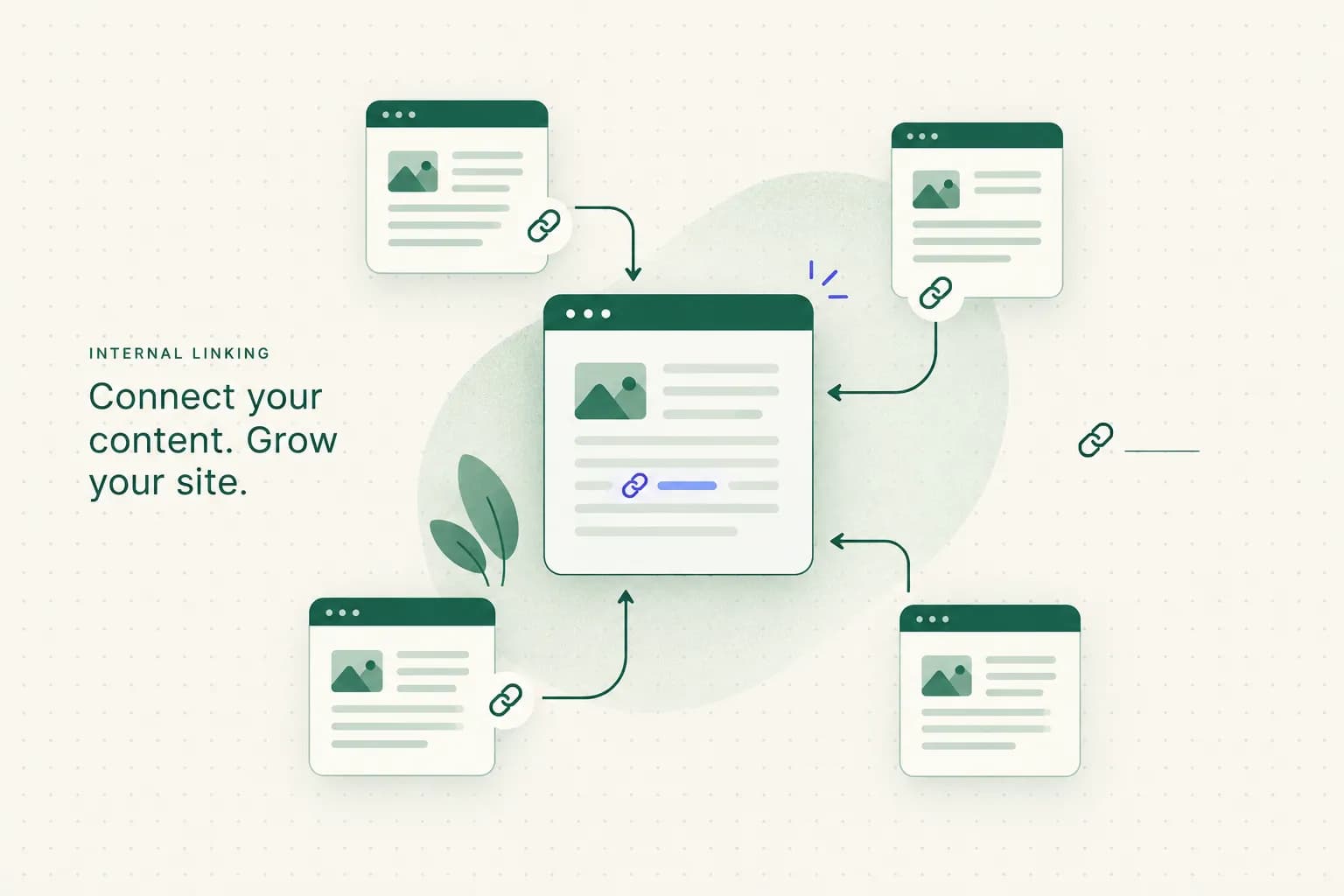
Infrastructure links form a map. They tell Google which pages matter most, how your topics relate, and where a reader should go next.
Still with me?
Good.
Because once you see links as plumbing instead of garnish, the "how many?" question stops mattering. The better question becomes: which connections does this site actually need?
What Internal Links Actually Do
Google is refreshingly direct on this one.
Its Search Central documentation states that Google uses links both to find new pages to crawl and as a signal for understanding what pages are about.
It also recommends that every page you care about gets a link from at least one other page on your site.
Notice what's missing?
A formula.
Google tells you links help with discovery and understanding. It never promises that adding 12 links to a page will move it from position 9 to position 3.
That distinction matters, because internal links actually deliver four separate benefits, and people tend to mash them into one:
1. Crawl discovery. Links help Googlebot find new and updated pages faster. A page buried five clicks deep (high crawl depth) gets visited less often than one linked from your homepage.
2. Topical relevance. The anchor text and surrounding context tell Google what the destination page is about. A cluster of well-linked pages on one subject builds topical authority.
3. User navigation and engagement. Readers click links that answer their next question. That keeps them on your site longer and moves them toward the pages you want them to see.
4. Ranking equity. This is the slow, fuzzy one.
Links pass some form of authority between pages, but the effect is hard to isolate and even harder to measure.
Now, about that fourth benefit.
You've probably seen diagrams where link equity "flows like water" from page to page, pooling in the places you want it.
It's a lovely image.
It's also a theory, not a dial you can turn.
PageRank is real.
It came from the original 1998 Google research paper, and Google has said it's still one signal among many.
But the public PageRank toolbar score was retired back in 2016, and nobody outside Google can measure how much equity moves through a specific link.
Chasing it directly is like trying to optimize your mood by counting heartbeats.
Build links for discovery, relevance, and readers. Ranking equity tends to show up as a side effect, not a target.
Crawl Discovery vs Ranking Signals
Here's the split that clears up most confusion.
Crawl discovery is binary and fast: either Google can reach a page through links, or it struggles to.
Fix a discovery problem and you often see results in days, sometimes as quickly as the next crawl.
Ranking signals are gradual and tangled up with everything else: content quality, backlinks, search intent, competition. Internal links contribute, but they rarely carry a page on their own.

So if a new page isn't getting indexed, internal links are your first fix. If an indexed page is stuck on page two, internal links are one tool in a bigger kit.
Internal Links vs Backlinks vs External
Three terms, constantly confused.
Let's untangle them quickly.
Backlinks are links from other websites pointing to yours. They're valuable and notoriously hard to earn.
External links are links from your page pointing out to another domain, like citing a study.
Internal links connect pages within your own site.
And here's the kicker: they're the only type fully within your control.
No outreach emails, no begging, no waiting.
You can fix your internal linking tonight, in your pajamas, with a cup of tea.
Building a Sitewide Link System
Most sites don't have a linking strategy.
They have a linking history, a pile of decisions made one article at a time over several years.
The result looks less like a map and more like a drawer full of tangled charging cables.
A sitewide system fixes that by deciding the shape first. Then every new page slots into a place that already exists.
Pillars, Clusters, and Conversion Pages
Picture your site as a set of content hubs. At the center of each hub sits a pillar page: a broad, comprehensive guide on a core topic, like "Beginner's Guide to Home Coffee Brewing."
Around it orbit the cluster pages, supporting articles that each cover one subtopic in depth. "French Press Ratios," "Best Grind Size for Pour-Over," "How to Descale an Espresso Machine." Each cluster page links up to the pillar and across to related siblings.
Then come your commercial pages (product comparisons, service pages, reviews). These receive links from the clusters where buying intent naturally shows up.
Finally, conversion pages sit at the end of the journey: the checkout, the demo booking, the signup form.

Ecommerce follows the same logic with different labels.
Category pages act like mini-pillars, gathering related products under one theme.
Product pages are the conversion endpoints.
And your blog posts? They should link down into both, sending informational readers toward the category when they're browsing and straight to a product when they're ready.
A post about "How to Choose Trail Running Shoes" should point to the trail shoes category and to two or three specific models it recommends.
That's not spammy.
That's helpful.
Planning Links Before You Write
Here's where most competitors fall down.
They treat internal linking as a per-page afterthought: write the article, publish, then maybe hunt for a few links if someone remembers.
No map.
No plan.
Just vibes.
The smarter approach is to draw the map before content exists. If you know which cluster a future article belongs to, you already know which pillar it links to, which siblings it references, and which commercial page it supports.
But how do you know which topics belong together in the first place?
Guessing based on keyword similarity is risky.
"Coffee grinder" and "coffee grounds for plants" share words but have nothing in common intent-wise.
The reliable method is clustering from live SERP data. If the same pages already rank for two related keywords, Google sees them as one topic.
That's the approach RankSpiral's Topical Authority Engine uses: it only groups keywords into topic clusters when the same URLs are already ranking across those terms.
Once your clusters come from real search results, link paths almost plan themselves.
You know which page is the pillar, which pages support it, and exactly where each new draft plugs in.
You're building topic clusters with the wiring already drawn, before a single sentence gets written.
Planning links after publishing is like adding hallways after the house is built. Possible, but expect to knock down some walls.
Finding and Placing the Right Links
Okay, theory's done.
Time to get your hands dirty.
This section walks through a repeatable process: find opportunities, decide what gets linked first, place links where they work, and write anchor text that doesn't make Google (or readers) squint.
Where to Look for Opportunities
You probably have more linking opportunities than you think.
They're just hiding.
Here's how to dig them out:
Which Pages Get Linked First
You can't fix everything at once, and you shouldn't try. Prioritize pages where a few extra links have the biggest payoff:
Once you know which pages to link, decide where those links live:
Anchor Text That Doesn't Backfire
Anchor text is the clickable wording of a link, and it's where good intentions go to die.
Quick check-in: have you ever linked the phrase "best coffee grinder" to the same page 40 times?
No judgment.
But let's fix it.
Fixing Broken Links and Blind Spots
Every site older than about six months has link problems.
Pages get deleted, URLs change, products go out of stock, and nobody updates the 14 blog posts pointing to them.
It's not a moral failing.
It's entropy.
The good news: blind spots are findable, and most fixes take minutes once you know where to look.
Rescuing Orphan Pages
Orphan pages are pages with zero internal links pointing to them. Google may still find them through sitemaps or backlinks, but they're essentially invisible to readers and weakly signaled to crawlers.
First, separate the real orphans from the intentional ones. Thank-you pages, legal disclaimers, and campaign landing pages are often excluded from navigation on purpose, and that's fine.
For the genuine orphans, run this recovery checklist:
- Confirm the page still deserves to exist. If it's thin, outdated, or duplicated elsewhere, merge it into a stronger page and redirect instead of rescuing it.
- Assign it to a topic cluster. Every surviving page should belong to a pillar, so you know which hub it connects to.
- Add at least one link from the relevant pillar page. This gives the page a clear, shallow path from an authoritative hub.
- Add two or three contextual links from sibling cluster pages. Choose pages that already get traffic and crawl attention.
- Check it appears in your XML sitemap. Sitemaps don't replace links, but they reinforce discovery.
- Request indexing in Search Console. Use URL Inspection once the new links are live, then check back in a week or two.
Auditing Links in Search Console
Google Search Console is free and shows you how Google actually sees your site, not how you imagine it does. Pair it with a crawl export and you'll catch almost everything.
- Use the Links report to spot low-linked pages. Compare your most important URLs against the internal links list. If a money page is barely mentioned, that's a priority fix.
- Check the Pages report for indexation issues. Statuses like "Discovered, currently not indexed" and "Crawled, currently not indexed" often point to pages with weak internal support or thin content.
- Run a crawl export for redirect chains. Internal links pointing through two or three redirects waste crawl budget and slow users down. Link directly to the final URL.
- Find links pointing to canonicalized duplicates. If you link to a URL whose canonical points elsewhere, you're sending mixed signals. Update links to the canonical version.
- Watch for faceted navigation traps. Filters for color, size, and price can generate thousands of near-identical URLs. Keep them from swallowing crawl attention with nofollow, robots.txt rules, or canonical tags.
- Test JavaScript-only links. Links that only exist after scripts run, or that lack a proper href attribute, may be missed by crawlers. Use standard anchor tags with real URLs.
- Verify mobile and desktop link parity. Google indexes mobile-first, so links that appear only on desktop may effectively not exist.
- Check links hidden behind clicks and accordions. Content in tabs is generally indexed, but links that load only after interaction may not be. Test with URL Inspection's rendered HTML.
- Review pagination. Deep pagination spreads authority thinly across page 2, 3, 4 and beyond. Link key items from category pages directly so they don't sit 10 clicks deep.
Keeping Automated Links Honest
As of 2026, plenty of publishing tools suggest internal links automatically, and many AI writing workflows insert them in bulk.
That's convenient... right up until your tool links "apple" in a pie recipe to your post about iPhone batteries.
At scale, automation can create irrelevant, repetitive links across hundreds of pages before anyone notices.
The fix isn't avoiding automation.
It's supervising it:
- Require human approval on every suggested link. A quick editorial check catches irrelevant matches, awkward anchors, and duplicate links in the same paragraph.
- Scan older posts on a schedule. RankSpiral's Retrolink works this way, scanning older posts weekly for ranking slips and dead product links, but requiring manual approval before any change goes live. Automation finds, humans decide.
- Cap repeated anchors. If a tool keeps proposing the same exact-match phrase, reject most of them and write natural variations.
- Spot-check a sample every month. Pick 10 recently updated pages and read the links as a visitor would. If one feels forced, it probably is.
When your audit turns up problems, run them through a simple fix protocol:
- Broken links (404s): Update the link to the most relevant live page, or remove it if no good replacement exists.
- Redirected links: Replace the old URL with the final destination so users and crawlers skip the detour.
- Duplicate links: Point everything to the canonical URL and consolidate competing pages where it makes sense.
- Outdated links: Swap links to discontinued products or stale guides for current, relevant alternatives.

Internal Linking Questions, Answered
What do you mean by internal linking?
Internal linking means adding a hyperlink from one page on your website to another page on the same domain. These links help readers find related content and help search engines discover pages and understand how your topics connect.
How can I find the internal links on my website?
Google Search Console's Links report is the fastest free way to see your internal links.
It shows your most-linked pages.
For full detail, including anchor text, crawl depth, and pages with zero inlinks, run a crawl with a tool like Screaming Frog and export the results.
Does internal linking help SEO?
Yes, internal linking helps SEO by improving crawlability, indexation, and topical relevance.
Google confirms it uses links to find pages and understand what they're about.
Rankings improve more gradually, since internal links work alongside content quality and backlinks.
How to create an internal link?
Highlight a descriptive phrase in your content, insert the URL of another page on your site, and publish.
In most CMS platforms, that's the link button in the editor.
Make sure it's a standard anchor tag with a real href, not a JavaScript click event.
What is an example of internal linking?
A recipe blog linking from its "chocolate cake" post to its "buttercream frosting" post is a classic example.
The anchor text might read "our easy vanilla buttercream frosting," which tells readers and Google exactly what they'll get.
It's helpful, relevant, and natural.
How many internal links should a 1,000-word article have?
There is no fixed number of internal links a 1,000-word article should have.
A sensible rule of thumb is one contextual link wherever a reader would genuinely want related information, which often lands around 3 to 8 for that length.
Relevance beats quantity every time.
What is the difference between internal linking and external linking?
Internal links point to pages on your own domain, while external links point to pages on other domains.
Internal links build your site architecture and are fully under your control.
External links cite sources and add credibility for readers.
The One Link Habit to Start Tonight
Big audits are great.
But you don't need one to start.
Here's your homework, and it takes about 20 minutes.
Open your highest-traffic old post. Then find three related pages ranking in positions 4-20 using Search Console's Performance report.
Add a contextual link to each one, with descriptive anchor text, right next to the sentence where it fits.
Done.
That's the whole trick.
Internal linking isn't a one-time optimization you check off a list.
It's an editorial habit, like proofreading or updating stats.
Every new post links to the map. Every old post gets revisited.
The system compounds quietly in the background.
And honestly? Those links were always going to need fixing eventually.
Might as well be tonight.