
Most on-page SEO checklists are 47 items long and make you feel productive while accomplishing nothing. You check boxes. The page doesn't move. You add the checklist to a folder called "Resources" and never open it again.
This one is different.
Not because it's shorter (it's not, really), but because it tells you what to fix first, why that order matters, and how to know if it worked.
It's built for 2026 SERPs — which means AI Overviews, People Also Ask, Core Web Vitals, and the uncomfortable reality that Google is now an LLM with opinions about your content. The checklist is the system.
The system is the point.
Why On-Page SEO Still Matters (A Lot)
There's a persistent rumor that on-page SEO is a relic.
That links are everything.
That content quality is the only variable that matters. That rumor is wrong, and the people spreading it have good rankings and bad explanations for why.
In 2026, with AI Overviews reshaping what users actually see on a SERP, on-page signals are how Google and its underlying LLMs decide what to extract, quote, and surface.
Your heading structure is a parsing instruction. Your schema markup is an invitation. Your answer copy length is either inside or outside the extraction window.
The stakes are higher. Not lower.
The other thing nobody says out loud: most pages fail because of fixable on-page errors that take under an hour to address. Not because of missing backlinks. Not because of domain authority. Because the title tag is stuffed, the heading hierarchy skips from H1 to H3, and there's no schema telling Google what the page is actually about.
That's the promise here. A triage system, not a panic list. Prioritized, repeatable execution.
On-page changes can move rankings in 2–8 weeks on low-to-mid competition pages. Competitive pages take longer. Anyone who tells you otherwise is selling a tool or a timeline. Both are negotiable. The on-page work is not.
The Triage Matrix: What to Fix First
The same fix has different ROI depending on what kind of page you're working on. A competitor checklist that doesn't acknowledge this is a list of tasks, not a strategy. Adding FAQPage schema to a product page is a different conversation than adding it to a blog post.
The effort is the same. The impact is not.
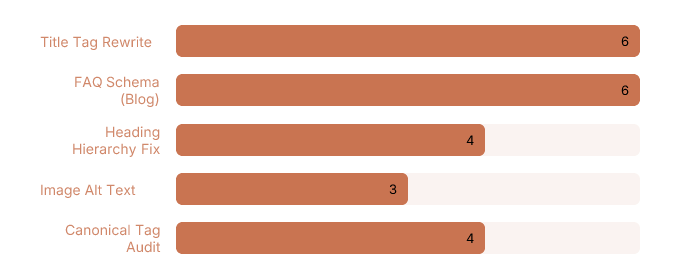
The mental model: score every on-page task from 1–3 for effort (1 = easy, 3 = needs a developer) and 1–3 for impact (1 = marginal, 3 = material ranking or CTR change). Multiply them. Tasks scoring 6 get done first. Tasks scoring 2 or below get deprioritized, delegated, or quietly ignored while you pretend you'll get to them later.
You won't get to them later. Score them honestly so you don't have to.
Quick Wins by Page Type
For blog posts, the fastest gains come from three places: rewriting the title tag to match search intent without keyword stuffing, adding FAQPage schema to any post that already has a Q&A section (or adding that section specifically to trigger it), and fixing heading hierarchy so H2s contain topics and H3s contain answers.
These are all effort-1 or effort-2 tasks with impact-3 payoffs. That's a 6. Do them first.
For product pages, the highest-ROI moves are Product schema (especially if you have pricing, availability, and review data to include), image alt text that describes the product specifically rather than generically, and unique description copy that doesn't match the manufacturer's feed. Duplicate description copy is a quiet killer.
Google has read that copy on eleven other sites. It is _not_ impressed.
For service pages, the wins are in meta description CTR optimization and internal link anchors.
Service pages often rank in positions 4–8 with decent impressions but weak CTR — which means the content is relevant enough to rank but the snippet isn't compelling enough to click. That's a rewrite problem, not a content problem.
Fix the snippet.
Then fix the internal link anchors pointing to the page so they're descriptive and topically relevant instead of "click here" or the page title verbatim.
Effort vs. Impact Scoring
Here's the scoring in practice:
| Task | Effort (1–3) | Impact (1–3) | Score | Priority |
| --- | --- | --- | --- | --- |
| Rewrite title tag | 1 | 3 | 3 | Do it now |
| Add FAQPage schema | 1 | 3 | 3 | Do it now |
| Fix heading hierarchy | 1 | 2 | 2 | This week |
| Add Product schema | 2 | 3 | 6 | Do it now |
| Self-host web fonts | 2 | 2 | 4 | This sprint |
| Defer third-party scripts | 2 | 2 | 4 | This sprint |
| Rewrite manufacturer copy | 2 | 2 | 4 | This sprint |
| Core Web Vitals deep audit | 3 | 2 | 6 | Schedule it |
A page with a broken title tag and no schema is not a content quality problem. It's a triage failure. Fix the cheap stuff first. The expensive stuff will still be there when you're done.
The Core On-Page Checklist (Element by Element)

This is the actual work. Not the philosophy of the work. The work itself, in the order it matters, with enough specificity that you don't have to guess what "optimize your title tag" means in practice.
Title Tags and Meta Descriptions
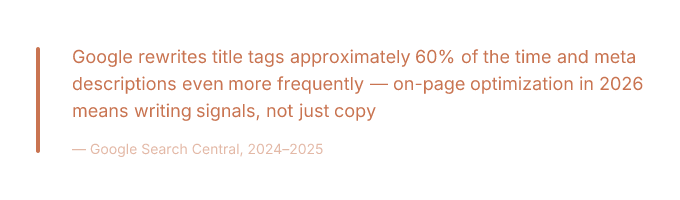
Google rewrites title tags roughly 60% of the time. Meta descriptions get rewritten even more. The goal is not to prevent this entirely — you can't.
The goal is to write originals that reduce rewrite probability and perform well in the 30–40% of cases where your version actually shows up.
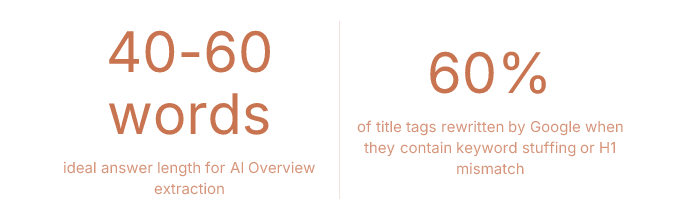
The signals that trigger rewrites: keyword stuffing (putting the keyword three times in a 60-character title is not a strategy, it's a confession), mismatch between the title tag and the H1 (Google notices when these tell different stories), and truncation (titles over ~60 characters get cut, which Google interprets as a formatting failure and often corrects with its own version).
> Write the title for the query intent. Match it to the H1. Keep it under 60 characters. Include the primary keyword once, near the front. That's it. That's the whole formula. It's been the whole formula for years and yet.
#### Detecting and Reducing Rewrites
Here's the GSC test. Go to Search Results in Google Search Console. Filter by page (the specific URL you want to audit).
Look at the queries driving impressions.
If the page is ranking in positions 1–5 but CTR is well below the expected benchmark for that position (roughly 28–39% for position 1, 15–20% for position 2, declining from there), Google is probably serving a rewritten snippet that doesn't match what users want to click.
Compare the queries to your actual title tag.
If users are searching "how to fix LCP" and your title says "LCP Optimization: A Complete Guide to Largest Contentful Paint Performance," Google is going to rewrite that. It's not wrong to rewrite that. Rewrite it yourself first.
Run the test 28 days after any title change.
Before and after. This is how you know if it worked.
Heading Structure for Humans and AI
One H1. Always. This is not a debate that exists in 2026. Multiple H1s confuse crawlers and screen readers with equal enthusiasm.
H2s are topic containers. H3s are answer containers. This is the structure LLMs use to parse a page for extraction.
When an AI Overview pulls a specific answer from your page, it is almost certainly pulling from an H3 and the paragraph directly beneath it.
That's the extraction unit. Design for it.
The accessibility overlap here is real and almost universally ignored by SEO guides: correct heading order (no skipping from H1 to H3, no using headings for visual styling instead of document structure) improves both screen reader navigation and AI readability.
These are the same problem. Semantic HTML is not an accessibility nicety — it's a parsing instruction for every automated system that reads your page, including Google's.
Check your heading hierarchy with any free heading structure tool or browser extension. Fix the skips. They take three minutes to fix and they've been sitting there for two years.
Content, Entities, and Internal Links
Keyword placement still matters. First 100 words, H2s, naturally throughout — not because keyword density is a ranking factor (it isn't, and hasn't been) but because placement signals topical relevance to crawlers that haven't read the whole page yet. Front-load the signal.
Entity optimization is the 2026 version of keyword optimization, and most guides haven't made the switch. Google's understanding of a page is built on named entities — people, places, organizations, concepts — not keyword frequency.
You can check your page's entity coverage using Google's Natural Language API demo (free, paste your URL or text, see what entities Google extracts).
If your page about "content marketing strategy" returns entities like "marketing," "strategy," and "content" but not "topical authority," "content calendar," or "editorial workflow," you have an entity gap.
Fill it with specifics, not synonyms.
Internal links are where topical authority actually transfers. Not by linking randomly, but by linking intentionally within a cluster. The method: anchor text should be descriptive and topically relevant (not "click here," not the exact page title, not the URL).
Source pages should already rank for related terms — you're borrowing their authority, so they need to have some. This is how a new page inside an established cluster ranks faster than an isolated page with better content.
Doing this manually across a content library is the task that every SEO intends to complete and approximately none of them finish. Rankspiral's Smart Internal Linking feature handles the "which pages should link to this one" decision algorithmically — it scores link opportunities using a Link Opportunity Score and inserts contextual anchors retroactively across existing content.
The part most SEOs never get around to doing manually.
Which is most of it, if we're being honest.
Schema, AI Overviews, and PAA Optimization
Structured data is not a "do it if you have time" item. It is the difference between Google understanding your page and Google guessing about your page. In 2026, with AI Overviews pulling answers from structured content, schema markup is closer to a prerequisite than a nice-to-have.
The caveat: not all schema types are equal.
Most guides list every Schema.org type as if they're interchangeable. They are not. Some move the needle. Some are just XML you added to feel thorough.
Which Schema Types Actually Help
The types with documented impact on AI Overview inclusion and SERP feature eligibility as of 2025–2026:
Here's a minimal FAQPage JSON-LD example, placed before the closing `` tag:
```
```
Google's AIO tends to extract answers between 40–60 words. Answers shorter than that get ignored. Answers longer than that get truncated, which is Google's polite way of saying you wrote too much. Write to the window.
Writing PAA-Ready FAQ Answers
The formula. Reproducible. Tested. Not complicated.
> If your H3 matches the question exactly, Google doesn't have to infer anything. Make it easy. Google rewards easy.
Core Web Vitals: Diagnose Before You Fix
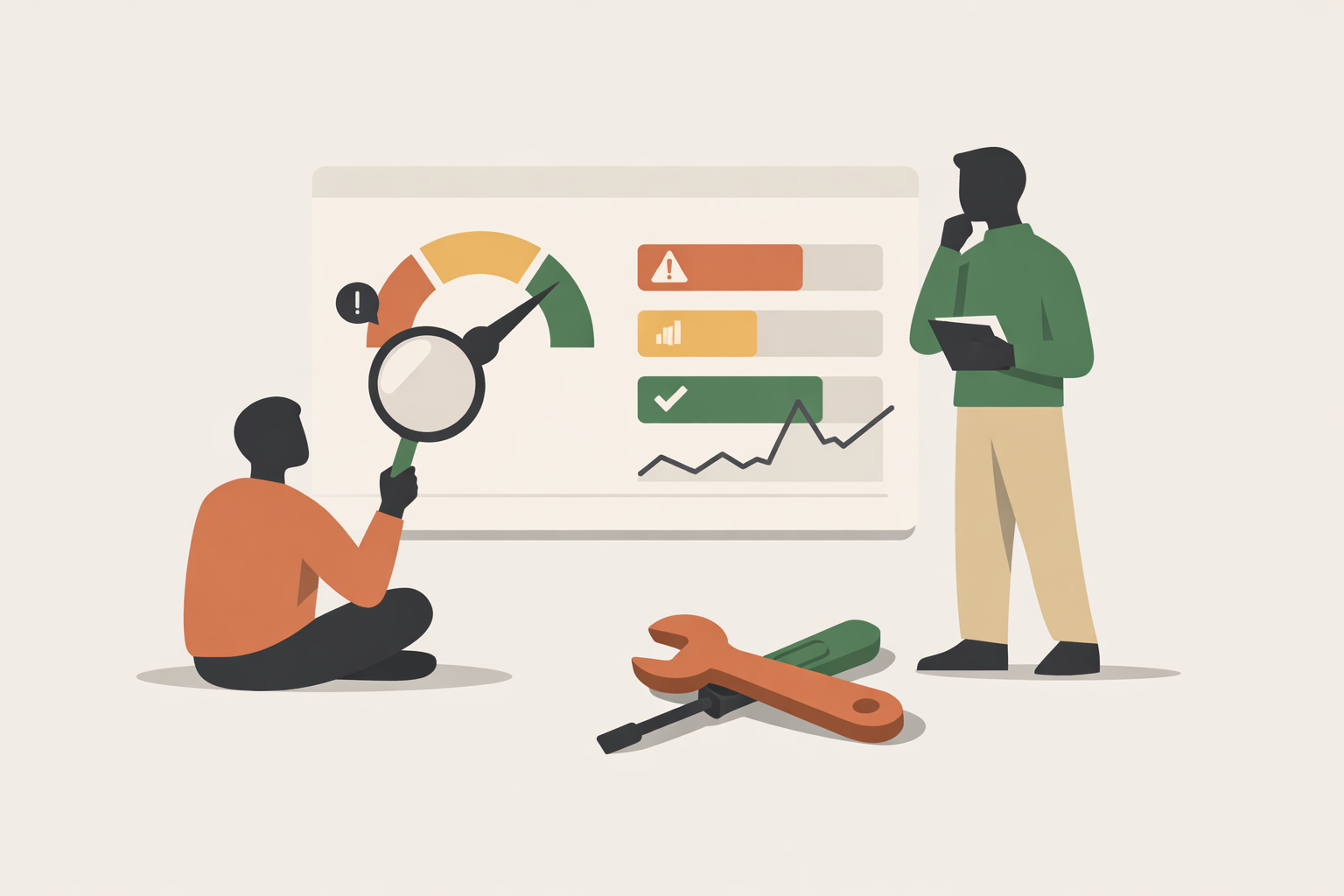
The mistake everyone makes with Core Web Vitals is treating "improve LCP" as a task. It's not a task. It's a symptom. The task is finding the cause. Treating the symptom without finding the cause is how you spend a developer sprint and move the score by 0.2 seconds.
LCP, INP, and CLS are three different problems with three different diagnostic paths. Run the diagnosis first. Then fix what you actually found.
Isolating LCP Causes
Largest Contentful Paint is the time until the largest visible element loads. That element is usually a hero image, a web font rendering a large heading, or a render-blocking script that's delaying everything behind it. Each cause has a different fix.
Here's how to tell them apart in Chrome DevTools:
Hero image as LCP element: Open DevTools, go to the Network tab, reload the page, filter by "Img." Find the largest image. Check its load time and whether it has a `loading="lazy"` attribute. If it does, that's your problem — lazy loading the LCP element delays it intentionally. Fix: add `fetchpriority="high"` to the LCP image and add a `` in the document head.
Web font as LCP cause: Go to the Performance tab, record a page load, look for render-blocking font requests in the waterfall. If a large heading font is loading from an external CDN and blocking render, you have two fixes: use `font-display: swap` so text renders in a fallback font immediately, and self-host the font file to eliminate the external DNS lookup latency.
Third-party script blocking LCP: In the Performance tab, look for "Long Tasks" (red bars) on the main thread during the first 2–3 seconds of load. If a third-party script (analytics, chat widget, ad tag) is creating a long task before LCP, add `defer` or `async` to the script tag. If it's a script you don't actually need on page load, remove it from the initial load entirely. This is always the right call and nobody ever makes it.
INP and CLS Quick Fixes
INP — Interaction to Next Paint — replaced FID as a Core Web Vitals metric in 2024. Most guides haven't caught up. This is the gap.
INP measures how long the browser takes to respond to a user interaction (click, tap, keyboard input). The two most common causes of poor INP: heavy JavaScript event handlers that block the main thread when a user clicks something, and layout shifts triggered by late-loading ads or embeds that push content around after the user has already started interacting.
The fix for the first is code-splitting and deferring non-critical JS. The fix for the second is the same as the CLS fix below.
Cumulative Layout Shift is the visual stability metric. The fix is almost always the same: set explicit `width` and `height` attributes on every image and iframe. Always. Reserve space for ad slots with CSS `min-height` so the layout doesn't jump when the ad loads.
These are not clever fixes. They are obvious fixes that take ten minutes and that most sites haven't done.
One honest note on CWV and rankings: Core Web Vitals is a tiebreaker signal. Not a primary ranking factor. Fixing a 4.2s LCP to 1.8s on a page with strong content and solid links will move the needle. Fixing CWV on a page with thin content is rearranging furniture.
The triage matrix applies here too. Score the impact honestly before you schedule the sprint.
Frequently Asked Questions
These answers are written to be extracted. By Google. By AI Overviews. By the People Also Ask box that shows up under your competitor's result instead of yours. The format is intentional. The length is intentional. The directness is also intentional, though it does come naturally at this point.
What is on-page SEO and how do I do it?
On-page SEO is the practice of optimizing elements you directly control on a page — title tags, headings, content, schema markup, internal links, and page speed. To do it: use a prioritized checklist organized by page type (blog, product, service), fix high-impact low-effort items first, and measure results in Google Search Console 28 days after changes. This guide is the checklist.
How long does on-page SEO take to affect rankings?
On-page changes affect rankings in 2–4 weeks for low-competition pages and 6–12 weeks for competitive ones. The timeline depends on crawl frequency, content quality, and how competitive the target query is. Anyone promising faster results is selling something. Anyone saying it takes longer probably has a slow crawl budget or is being appropriately cautious about a very competitive keyword.
Does the meta description affect SEO rankings?
Meta descriptions do not directly affect rankings. They affect click-through rate, which affects rankings indirectly through engagement signals. Google rewrites meta descriptions approximately 70% of the time anyway. Write the meta description for the 30% of cases where your version actually appears — focus on matching search intent and including a clear reason to click.
How do I optimize for Google's AI Overviews?
Optimizing for AI Overviews requires FAQPage schema, direct 45–65 word answers placed under question-phrased H3 headings, clear entity signals throughout the page, and a clean heading hierarchy that LLMs can parse for extraction. The page also needs topical authority — a single optimized page on a thin site is harder to extract from than a well-structured page inside a topical cluster.
How many H1 tags should I use on a page?
One H1 per page. Always one. Multiple H1s create ambiguity for crawlers and accessibility problems for screen readers simultaneously, which is an impressive way to fail two audits at once. The H1 is the page title. There is one page. There is one title. The math is not complicated.
What are Core Web Vitals and why do they matter?
Core Web Vitals are three Google metrics measuring page experience: Largest Contentful Paint (LCP, load speed of the main element), Interaction to Next Paint (INP, responsiveness to user input), and Cumulative Layout Shift (CLS, visual stability). They function as a ranking tiebreaker — they matter most on competitive SERPs where content quality is roughly equal across the top results. Fix them after content. Not instead of content.
Measure It or It Didn't Happen
After making on-page changes, three metrics tell you whether they worked.
First: CTR. In Google Search Console, go to Search Results, filter by the specific URL, set a 28-day window before the change and 28 days after.
CTR moving up means your snippet is performing better. CTR flat with position improving means the rewrite is still happening. CTR down with position up means Google is serving a version of your snippet that users don't want to click. Rewrite again.
Second: average position for target queries. Same report, same filter. Position improving 2–4 spots after a title and schema update is a normal outcome. Position not moving after 6 weeks means the on-page changes weren't the constraint — look at links, authority, or content depth.
Third: impressions for new queries. If the page starts appearing for intent variants it didn't rank for before (check the Queries tab filtered by the page), the entity and content optimization worked. The page is now understood more broadly. That's the actual win.
For AI Overviews specifically: there is no official GSC report for AIO citations as of 2026. Manual spot-checking in incognito windows and third-party monitoring tools are the current method. This is a gap in the tooling. It exists. Be honest about it.
The checklist is not the point.
The point is having a repeatable system so you stop auditing the same page twice, fixing the same mistake three times, and wondering why nothing moved when you definitely did the thing.
The checklist is the container.
The discipline is the actual product.
The discipline, and also the schema markup, which is doing more work here than any of us want to admit.